

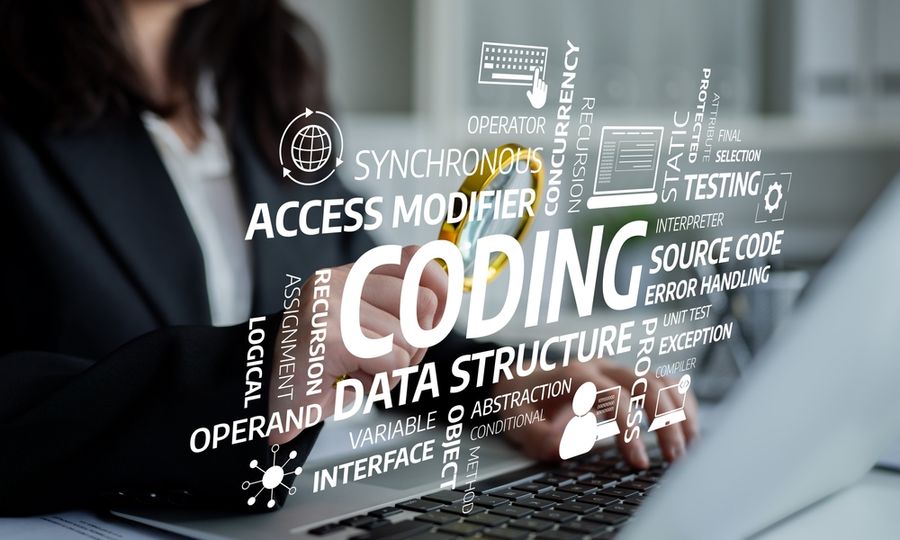
Technology is part of everyday life, yet many common terms still feel confusing or intimidating. Words like cloud, algorithm, or bandwidth are used frequently, often without explanation. When technical language feels unclear, it can make devices and services harder to understand or use confidently. Breaking down common technology terms into plain language helps remove barriers, supports better decision-making, and allows people to engage with digital tools more comfortably in daily life.
Hardware and Software Basics
Hardware refers to the physical components of a device. This includes items such as computers, smartphones, keyboards, screens, and internal parts like processors and memory. Hardware is anything that can be physically touched and is responsible for running tasks and displaying information.
Software refers to programs and operating systems that run on hardware. Applications, web browsers, and mobile apps all fall into this category. Software tells hardware what to do and how to do it. Understanding the difference between hardware and software helps clarify how devices function and why updates or repairs may be needed.
Internet and Network Terms Made Simple
The internet is a global network that allows devices to communicate and share information. Wi-Fi refers to a wireless connection that links devices to the internet through a router. Bandwidth describes how much data can be transferred at one time, which affects speed and performance.
Cloud computing refers to storing data or running applications on remote servers instead of local devices. Files saved in the cloud can be accessed from multiple devices with an internet connection. Understanding basic network terms helps users troubleshoot connection issues and manage online services more effectively.
Data, Storage, and Memory Explained
Data refers to any information created, processed, or stored digitally. This includes documents, photos, videos, emails, and application files. Storage is where data lives long-term, whether on a device or through online services. Common storage options include hard drives, solid-state drives, and cloud-based platforms that allow access from multiple devices.
Memory, often called RAM, serves a different purpose. Memory temporarily holds information that a device is actively using, such as open applications or current tasks. More memory allows smoother multitasking and faster performance. Understanding the difference between storage and memory explains why devices may slow down, freeze, or run out of space despite appearing to have available storage.
Security and Privacy Terminology
Security-related technology terms focus on protecting devices and information from harm. A virus is a type of malicious software designed to damage systems or steal data. Malware is a broader term that includes viruses, spyware, and ransomware. Antivirus software scans devices to detect and remove these threats before they cause damage.
Privacy terminology relates to how personal information is collected and shared. Cookies are small files stored by websites to remember user activity or preferences. Permissions determine what apps can access, such as location, camera, or contacts. Understanding these terms helps users recognize potential risks, adjust settings appropriately, and make safer decisions when using digital services.
Updates, Apps, and System Features
An update is a package of changes released to improve how software functions over time. Updates often fix bugs that cause crashes or performance issues, address security vulnerabilities, and refine existing features. Some updates also introduce new tools or interface changes designed to improve usability. Keeping software updated helps devices remain stable, efficient, and better protected against known threats.
Apps are programs created to perform specific tasks, such as messaging, navigation, productivity, or entertainment. Operating systems manage how apps run, communicate with hardware, and access system resources like memory and storage. System features also control security settings, permissions, and background processes. Understanding how updates, apps, and system features work together highlights why regular maintenance supports long-term device reliability and smoother performance.
Building Confidence Through Clear Language
Clear explanations of common technology terms reduce confusion and make digital tools feel more approachable. When terminology is easy to understand, users can make more informed decisions, recognize potential issues, and respond confidently to problems. Knowledge removes uncertainty and helps users feel more in control of their devices.
With a basic understanding of key concepts, everyday interactions with technology become more manageable. Tasks like installing updates, adjusting settings, or choosing apps feel less intimidating. Clear language turns technology into a supportive resource rather than a source of frustration, fostering confidence and independence in an increasingly digital world.